FOX – Why Does My Thermostat Say “Wait” or “Delay”
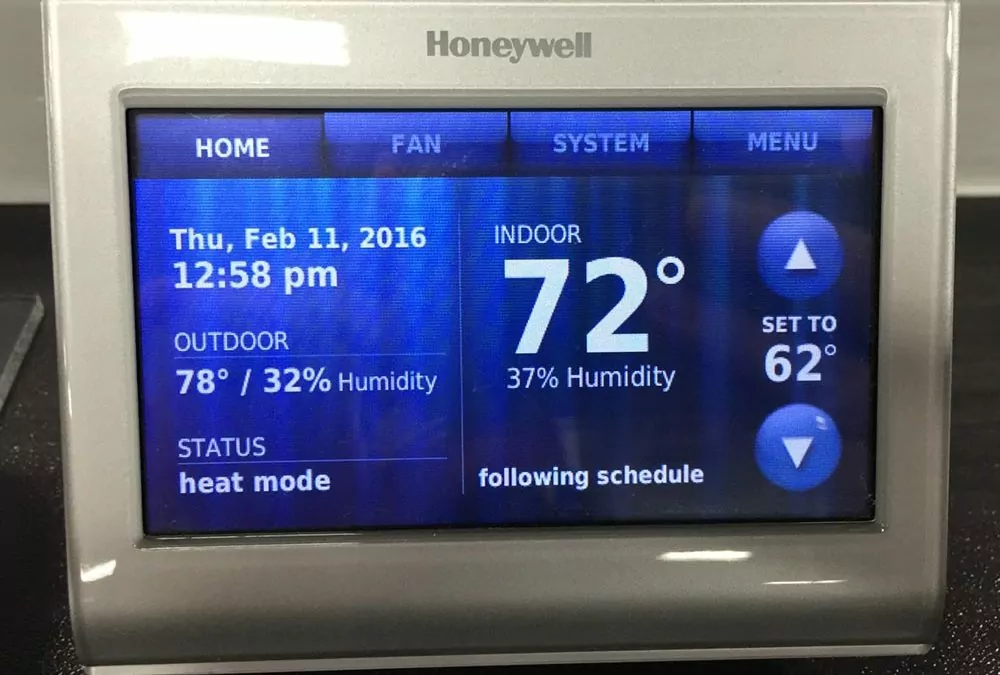
During a cold snap or heat wave, seeing a delay message on your thermostat can inspire a sense of panic. The good news is that a short delay is typically intended to protect your equipment and isn’t a cause for concern. Prolonged or recurring delays may be an issue. For extended delays, you can reach out to Fox Family Heating & Air Conditioning for support.
Why does my thermostat say “Wait”? And what should I do about it? To learn more about these and other common thermostat-related questions, read on.
What Does “Wait” or “Delay” Mean on a Thermostat?
A thermostat delay message means that your heating, ventilation, and air conditioning (HVAC) system is deliberately pausing before it restarts. Depending on your unit type, you may see “Wait,” “Waiting for Equipment,” or a flashing “Cool On” message.
This type of delay often occurs to protect the compressor. It allows refrigerant pressures throughout the system to begin equalizing before the compressor restarts. If this delay didn’t happen, the compressor could overheat, trip the breaker, and wear down prematurely. Delays are effective at preventing short cycling and ensuring the HVAC system is safely prepared to restart following a power outage.
Each model has different delay timing. For example, when a Honeywell thermostat says “Wait,” it uses a protection delay of up to five minutes. However, even within just Honeywell’s line of thermostats, this timing can vary based on the model.
Why Does Your Thermostat Show a Delay Message?
So, why does my thermostat say “Wait”? Your thermostat may show a delay message for a few common reasons. By determining the underlying cause, you can figure out when the delay message is simply for protective reasons and when it indicates that professional repairs may be necessary.
Built-In Compressor Protection
When your AC or heat pump remains off for a while, the refrigerant pressure has time to equalize before the compressor restarts. If it restarts soon after shutting off, a delay may be necessary to adjust the refrigerant pressure.
This is important because attempting to restart against a high pressure difference can require a large surge of electricity and potentially damage the compressor. Because of this, a delay is necessary to protect the compressor.
A Recent Shutdown or Power Interruption
If your home suddenly loses power, your thermostat may activate a compressor protection delay when electricity returns to prevent the system from restarting too quickly. The same thing can happen if you turn the system off and on, adjust the thermostat setting to trigger another cooling cycle, or change modes quickly.
Thermostat Power or Wiring Problems
Other common problems can result in delays. Inadequate power supply can cause this problem because smart thermostats need a steady power supply. If the electrical connections are loose, they can also cause the thermostat to reset repeatedly. Each time it resets, the delay message will recur.
A delay message does not necessarily indicate a faulty C-wire, although inadequate power from a missing or improperly connected C-wire can cause recurring delays on some smart thermostats. Power supply and wiring issues can cause delay messages on standard thermostats and smart thermostats. However, smart thermostats that completely lose power or frequently restart with error codes may have a C-wire issue.
Is Nest’s “In 2+ Hours” Message the Same as a Delay?
If you have a Nest thermostat, you may notice an “In 2+ HR” message. This is an estimate of how long it will take your HVAC system to reach the correct temperature.
Often, you’ll see this appear if you change the thermostat to a temperature that is significantly different from the room temperature. It can also occur during extreme weather conditions or when the eco mode is on. As long as your system is operating and the indoor temperature is getting closer to the setting, it is not a problem.
“In 2+ HR” is not the same as “Delayed.” If there is a “Delayed” message, the thermostat may be temporarily preventing the HVAC system from starting to protect the equipment. Recurring delays can also indicate inadequate thermostat power. “Delayed” messages should go away within a few minutes. If they do not, you may be dealing with faulty HVAC equipment, low battery power, or a missing C-wire.
What to Do When Your Thermostat Says “Wait”
When your thermostat says “Wait,” you should not change the temperature setting. Instead, use the following steps.
- Keep the thermostat settings the same and allow the model’s normal delay to finish.
- Verify that the thermostat is in the correct heating or cooling mode.
- Check your app or read the manufacturer’s instructions to see what the message or error code means.
- Wait and see if the system starts up after the countdown ends.
- Do not repeatedly restart the system. To avoid damaging the unit, you should never bypass the protection timer.
When Does a Thermostat Delay Need Professional Attention?
Our team can quickly check your thermostat’s power, wiring, and compatibility. We will verify that your system is functioning correctly before we recommend a repair. If you notice any of the following symptoms, you should reach out to Fox Family Heating & Air Conditioning for help.
- The message stays on longer than it should for your heat pump or AC model.
- Your thermostat restarts or loses power.
- The delay returns repeatedly, and you notice heating or cooling issues.
- Your thermostat keeps showing a delay message alongside short cycling.
- The thermostat displays a wiring error.
Frequently Asked Questions
How long should a thermostat stay on “Wait”?
While thermostats commonly stay on “Wait” for just 3 to 5 minutes, it can sometimes last up to 10 minutes. If it remains on “Wait” for longer than that, it’s a good idea to reach out to our technicians for a professional diagnosis.
Why is “Cool On” flashing, but the AC isn’t running?
On many Honeywell thermostats, a steady “Cool On” message indicates that the thermostat is calling for cooling, while a thermostat flashing a “Cool On” message indicates a compressor protection delay. This safety mechanism protects your compressor from short cycling. Once the unit’s refrigerant has had a chance to stabilize, “Cool On” will stop flashing.
Can a missing C-wire cause a thermostat delay?
Yes, it can. If you have a smart or Google Nest thermostat that is delayed, it may be related to the C-wire. Without a C-wire, some smart thermostats draw power through the heating or cooling control circuits, which can cause power problems with certain HVAC systems. This can result in the battery voltage dropping too low, causing a delay.
Should I reset my thermostat when it says “Delay”?
No, you should not. Your HVAC system should not restart too quickly after a power outage, shutdown, or previous cycle. If it restarts too early, it can stress your HVAC system and potentially damage the compressor.
Diagnose Your Thermostat-Related Issues
Why does my thermostat say “Wait”? In most cases, a brief protection delay is completely normal. The main concern is if the delay continues or recurs frequently. When this happens, Fox Family can help you diagnose the underlying thermostat or HVAC equipment issue.
Reach out to book your next HVAC repair.